> ## Documentation Index
> Fetch the complete documentation index at: https://docs.suga.app/llms.txt
> Use this file to discover all available pages before exploring further.
# Overview
> Understanding Suga's architecture and fundamental building blocks
This section introduces the core concepts that make up Suga's architecture. Understanding these concepts will help you design and manage applications effectively.
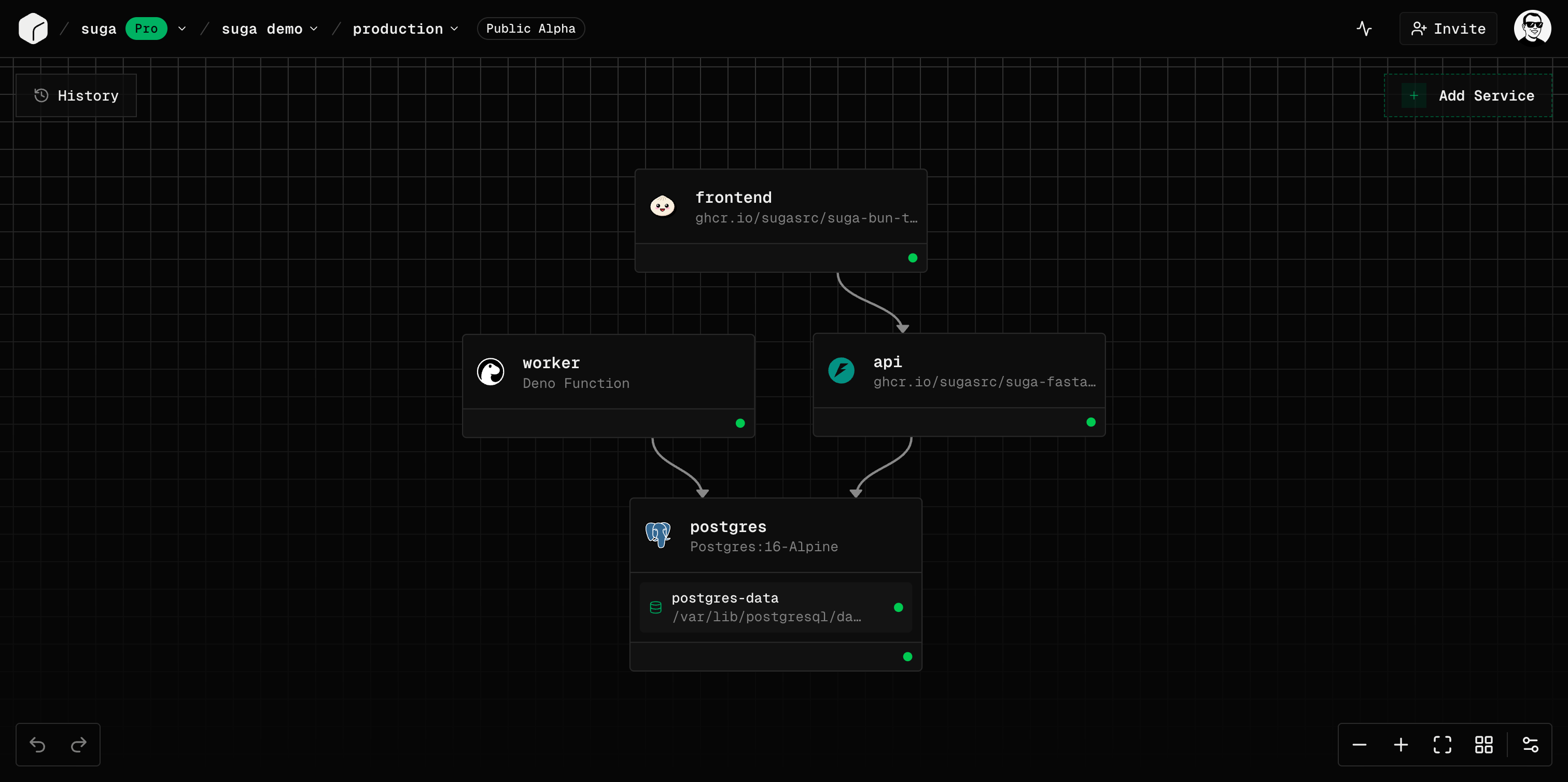 ## Hierarchy
Suga organizes infrastructure in a clear hierarchy:
```mermaid theme={null}
graph TD
A[Organization] --> B[Projects]
B --> C[Environments]
C --> D[Deployments]
D --> E[Services
## Hierarchy
Suga organizes infrastructure in a clear hierarchy:
```mermaid theme={null}
graph TD
A[Organization] --> B[Projects]
B --> C[Environments]
C --> D[Deployments]
D --> E[Services
Containers or Functions]
D --> F[Volumes
Persistent Storage]
```
### The Mental Model
Think of Suga as **applications, not servers**:
* You design what you want to run (services and volumes)
* You don't manage where or how it runs
* You focus on configuration and connections
* Suga handles provisioning, networking, and orchestration
Kubernetes powers Suga under the hood, but you never need to learn Kubernetes concepts or YAML files.
## Key Concepts at a Glance
| Concept | Description | Example |
| ---------------- | ------------------------------------------------- | --------------------------- |
| **Organization** | Team workspace and billing entity | "Acme Corp" |
| **Project** | Application container | "Marketing Website" |
| **Environment** | Isolated deployment target | "production", "staging" |
| **Deployment** | Immutable snapshot of infrastructure | "Deploy #42 on Jan 28" |
| **Service** | Running workload (Container or Function) | "api", "frontend", "worker" |
| **Volume** | Persistent block storage | "postgres-data" (5 GB) |
| **Networking** | Public (HTTPS/TCP) or private (service discovery) | HTTPS domain or TCP proxy |
## Organizations
Organizations are team workspaces:
* The top-level entity in Suga
* Billing and subscription management
* Team member invitations and roles
* Own multiple projects
[Learn more about Organizations →](/concepts/organizations)
## Projects
Projects are application containers:
* Belong to one organization
* Have a unique name and URL slug
* Contain multiple environments
[Learn more about Projects →](/concepts/projects)
## Environments
Environments are isolated deployment targets:
* Separate namespaces for production, staging, development
* Each has its own services and volumes
* Independent configuration and secrets
* Share the same project structure
Preview Environments (automatic PR environments) are coming soon in a future release.
[Learn more about Environments →](/concepts/environments)
## Deployments
Deployments are immutable snapshots:
* Capture complete infrastructure state at a point in time
* Include all services, volumes, configuration, and networking
* Tracked in deployment history for rollback
* Only one deployment is active per environment
[Learn more about Deployments →](/concepts/deployments)
## Services
Services are your running workloads:
**Docker-based service:**
* Run any Docker image
* Support for public and private registries
* Configure commands, ports, and health checks
* Best for existing applications and standard workloads
**Serverless-style service:**
* Write Deno/TypeScript code directly in Suga
* Built-in editor with AI assistance (Pro feature)
* Ideal for APIs and lightweight services
* Automatically scaled and managed
All services support:
* Environment variables with secrets encryption
* Resource limits (CPU and memory)
* Horizontal scaling with replicas
* Public networking (HTTPS/TCP) and private networking (service discovery)
[Learn more about Services →](/concepts/services)
## Volumes
Volumes provide persistent storage:
* Block storage that survives restarts and redeployments
* Size limits vary by plan (check dashboard for current limits)
* Mount to services at specified paths
* Essential for databases and stateful applications
Volumes can only be mounted to one service at a time, and that service must have exactly 1 replica.
[Learn more about Storage →](/reference/storage)
## Networking
Suga offers two networking modes:
**Private Networking (Service Discovery):**
* Automatic DNS-based discovery
* Services communicate using service names
* Format: `service-name:port`
* Example: `postgres:5432`, `redis:6379`
**Public Networking:**
* **HTTPS Endpoints** - Port 443 with automatic TLS and domains
* **TCP Proxy** - Non-HTTP protocols like PostgreSQL or SSH
* Automatic load balancing across replicas
[Learn more about Networking →](/concepts/networking)
## Templates
Templates are pre-configured project resources:
* Vetted configurations for common services
* Auto-fill images, ports, volumes, and environment variables
* Available for databases, frameworks, and tools
* Save time with best-practice defaults
[Learn more about Configuration →](/reference/configuration)
## Next Steps
Explore each concept in depth:
Team workspaces and billing
Application containers
Isolated deployment targets
Immutable infrastructure snapshots
Containers and functions
Public and private networking
Persistent storage
Templates and settings