

What is a Deployment?
Deployments are versioned snapshots providing complete audit trails. Every deployment records who made changes, when, and why, giving you the version control and reproducibility of Infrastructure as Code without configuration files. A deployment is a snapshot that includes:- All Services - Containers and functions with their complete configuration
- All Volumes - Persistent storage definitions and mount paths
- Environment Variables - All configuration and secrets (encrypted)
- Resource Allocations - CPU, memory, and replica counts
- Networking Configuration - HTTPS endpoints, TCP proxies, and ports
- Timestamp and Author - When deployed and by whom
Deployment Lifecycle
A deployment goes through several states:Only one deployment can be active per environment at a time. Starting a new deployment replaces the previous active deployment, which moves to “Completed” status.
Deployment Process
When you click the Deploy Changes button: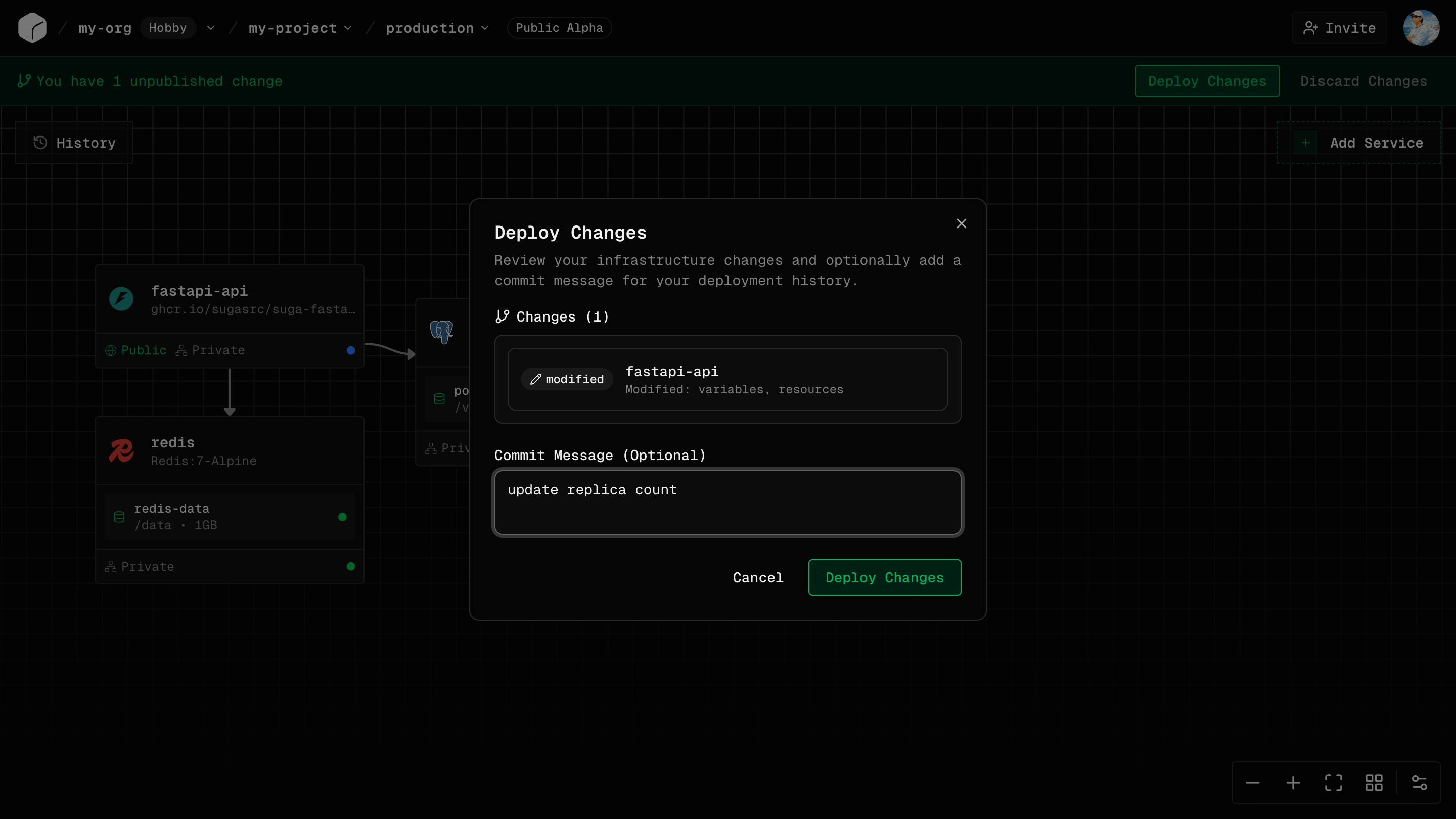
1
Snapshot Creation
Suga captures your current canvas configuration, creating an immutable snapshot.
2
Validation
The configuration is validated:
- All required fields are set
- Resource limits are within plan allowances
- Volume mount paths are valid
3
Resource Provisioning
Resources are created or updated.
4
Image Pulling
Docker images are pulled from registries to the cluster nodes.
5
Service Startup
Containers and functions start and begin initializing.
6
Traffic Routing
Traffic is routed to the new services. Old services are gracefully terminated.
7
Completion
The deployment moves to “Active” state and becomes the current live deployment.
Deployment History
Suga maintains a complete version control history of all deployments for each environment. This deployment history provides the same guarantees as traditional IaC tools (versioned infrastructure, audit trails, reproducibility) while maintaining deployment speeds under 10 seconds.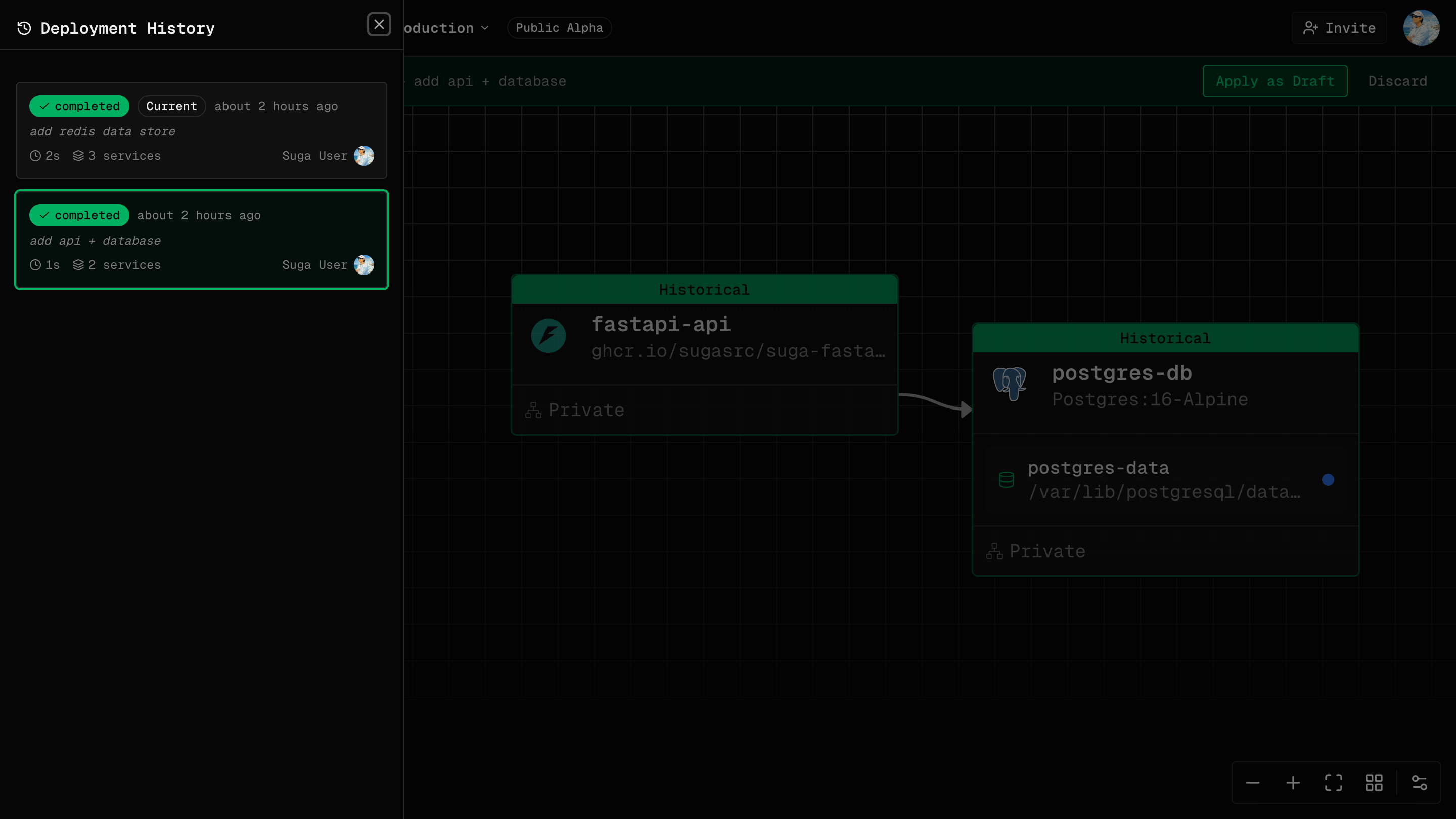
- Deployment ID and number
- Timestamp (when deployed)
- Author (which user triggered the deployment)
- Commit message (explaining what changed and why)
- Status (Active, Completed, Failed, Running)
- Configuration snapshot (full state at deployment time)
- Free: Last 10 deployments per environment
- Pro: Unlimited deployment history
- Enterprise: Unlimited deployment history with audit logs
Once you exceed the retention limit on Free plans, older deployments are automatically deleted and can no longer be accessed or rolled back to.
Active Deployment
Only one deployment is active per environment at a time:- Active Deployment - The currently running version of your application
- Previous Deployments - Historical versions available for rollback
- Failed Deployments - Never become active; useful for debugging
- The new deployment starts in “Running” state
- Old active deployment remains active during the transition
- New deployment finishes starting services
- New deployment becomes “Active”
- Old deployment moves to “Completed” status
Zero-Downtime Deployments
Suga uses a rolling update strategy by default: How It Works:- A new instance starts alongside the old one. At most one extra replica runs during the rollout, and no replicas are removed early.
- Traffic shifts to the new instance once it reports ready.
- The old instance is terminated.
- No downtime during deployments
- Gradual traffic migration reduces risk
- A failed start leaves the old instance serving traffic
Volumes Use a Recreate Strategy
Services with mounted volumes can only run one instance at a time, since storage is attached to a single instance. For these services, Suga switches to a recreate strategy:- The old instance stops and the volume detaches.
- The volume attaches to the new instance.
- The new instance starts.
Automatic Redeploys
Suga can roll out new image versions on its own, without you clicking Deploy. For images Suga builds: A push to the watched branch triggers a build. When it succeeds, the service pulls the new image and rolls out using the strategy above. For pre-built images from external registries: Suga polls the registry for a new digest at the same tag. When it changes, the service rolls out. Either way, the rollout goes through the normal deployment lifecycle, appears in deployment history, and can be rolled back.Automatic redeploys reuse the active deployment’s configuration and only swap the image. To change env vars, resources, or networking, deploy from the canvas.
Rolling Back Deployments
If a deployment causes issues, roll back to a previous version:1
Open Deployment History
Click the History button in your environment.
2
Select Previous Deployment
Click on a previous deployment that was successful.
3
Review Configuration
The previous configuration appears on the canvas. Review it to confirm it’s the version you want.
4
Apply as Draft
Click “Apply as Draft” to load the previous configuration as a draft on your canvas.
5
Deploy
Click “Deploy” to create a new deployment with the previous configuration. This creates a new entry in deployment history, just like any other deployment.
Rolling back works like a revert commit in Git - it creates a new deployment with the old configuration rather than undoing the current deployment.
What Gets Rolled Back
When you roll back to a previous deployment: Restored:- Container images and tags
- Environment variables
- CPU and memory allocations
- Replica counts
- Networking configuration (HTTPS, TCP proxy, ports)
- Function code
- Volume data (files persisted to disk)
- Database records (data in PostgreSQL, MariaDB, etc.)
- External service state (uploaded files to S3, third-party API data)
Viewing Deployment Details
Click on any deployment in the history to view: Deployment Metadata:- Deployment number and ID
- Timestamp
- Triggered by (user)
- Status
- Duration
- All services with full configuration
- All volumes with sizes and mount paths
- Complete environment variables (values are masked for security)
- Resource allocations
- Networking setup
- Real-time logs during deployment
- Stage-by-stage progress
- Errors or warnings
Deployment Triggers
Deployments can be triggered in several ways: Manual Deployment (Current):- Click the Deploy Changes button in the canvas
- Immediate deployment of current configuration
Public API for triggering deployments from CI/CD pipelines is coming soon in a future release.
Automatic deployments for pull requests (Preview Environments) are coming soon in a future release.
Common Questions
Can I have multiple active deployments in one environment?
Can I have multiple active deployments in one environment?
No, only one deployment can be active per environment at a time. Starting a new deployment replaces the previous active one.
Can I deploy to multiple environments simultaneously?
Can I deploy to multiple environments simultaneously?
No, you must deploy to each environment separately. Deploy to staging first, test, then deploy to production.
What happens if a deployment fails?
What happens if a deployment fails?
The deployment moves to “Failed” state and the previous active deployment continues running. Your application is not affected by failed deployments.
Can I schedule deployments for a specific time?
Can I schedule deployments for a specific time?
Not currently. Deployments are triggered manually by clicking the Deploy Changes button. Scheduled and automated deployments are planned for future releases.
How long does a typical deployment take?
How long does a typical deployment take?
Small applications typically deploy in under 10 seconds. Larger applications with many services usually complete in 30-60 seconds, significantly faster than traditional Infrastructure as Code tools.
Are deployments atomic?
Are deployments atomic?
Deployments are atomic per service. If a service fails to deploy, it doesn’t affect other services. The entire deployment may complete with some services failing.
Deployment vs. Release
Deployment:- Technical operation of provisioning infrastructure
- Happens in Suga when you click “Deploy”
- Immediate, automated process
- Business decision to make new features available
- May involve multiple deployments (staging, then production)
- Can include marketing, documentation, announcements